From inbox to workspace, with fewer follow-ups
A request arrives by email with the documents attached. The intake agent reads every attachment, checks it against what a matter needs and replies with specific questions until the request is complete. Each request gets a reference number that the sender can quote in follow-up.
Matters that keep pace with documents
After a matter opens, agents keep watching the iManage workspace. When a document or email gets added, or changes, such as a hearing date, a revised fee estimate or a key date in a filed email, the agent proposes the update with what changed and why. Lawyers review a summary instead of rereading every document.
Human in the loop on every change
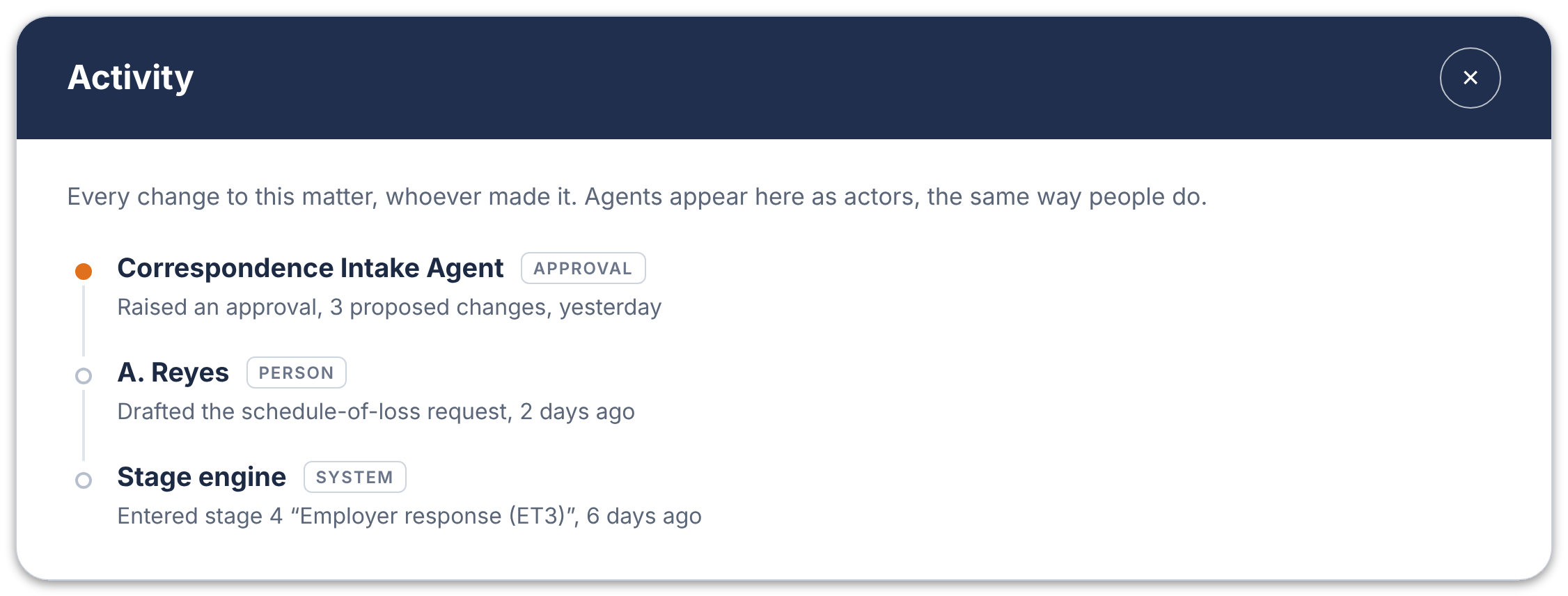
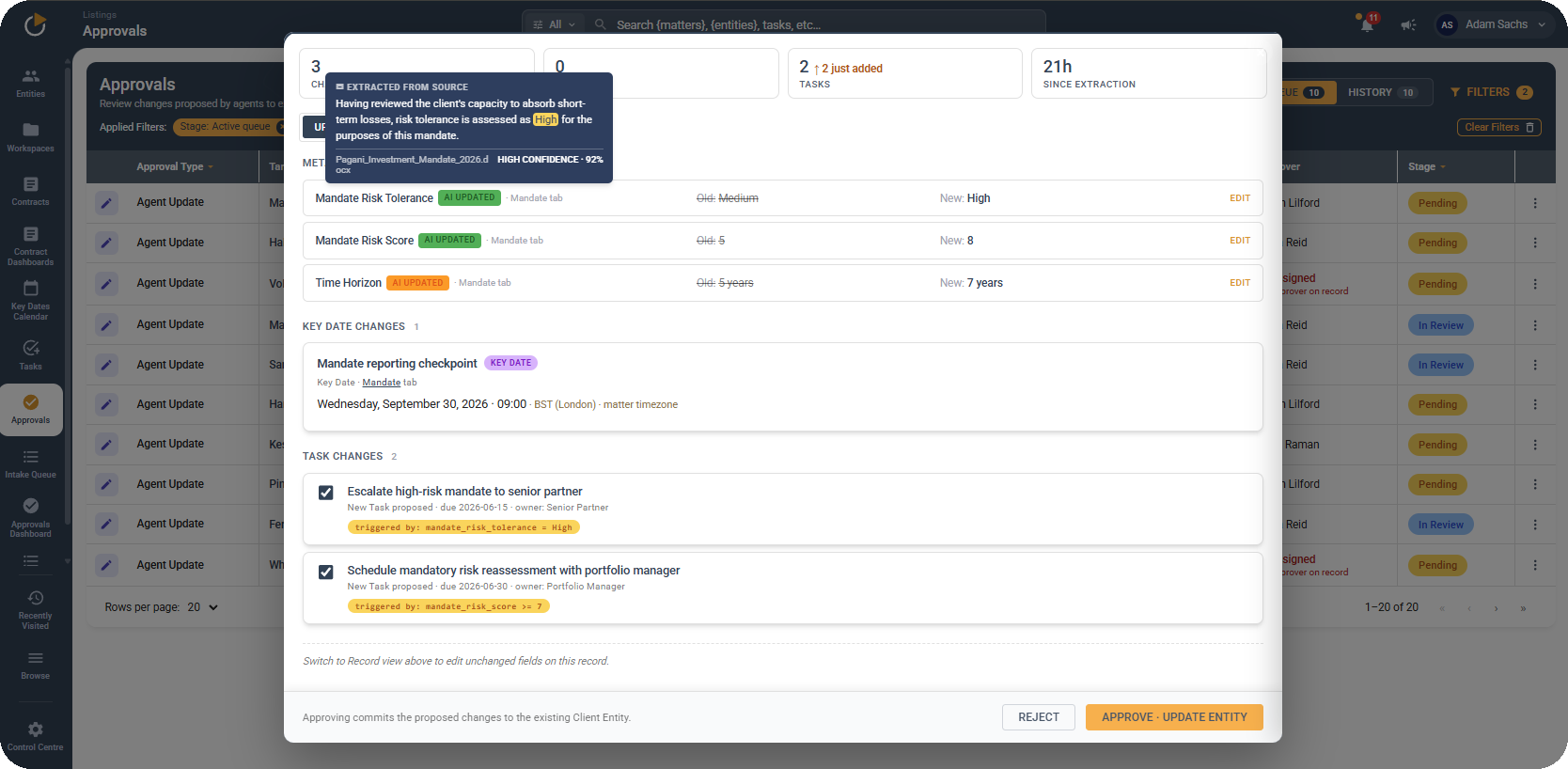
Every proposed update waits in a queue until a person approves it. Co-Flo logs each change with its source, the time it was made and whether an agent or a person made it. Users can see which changes the AI proposed, who approved them and why a record changed.






Requests by email, with the documents attached
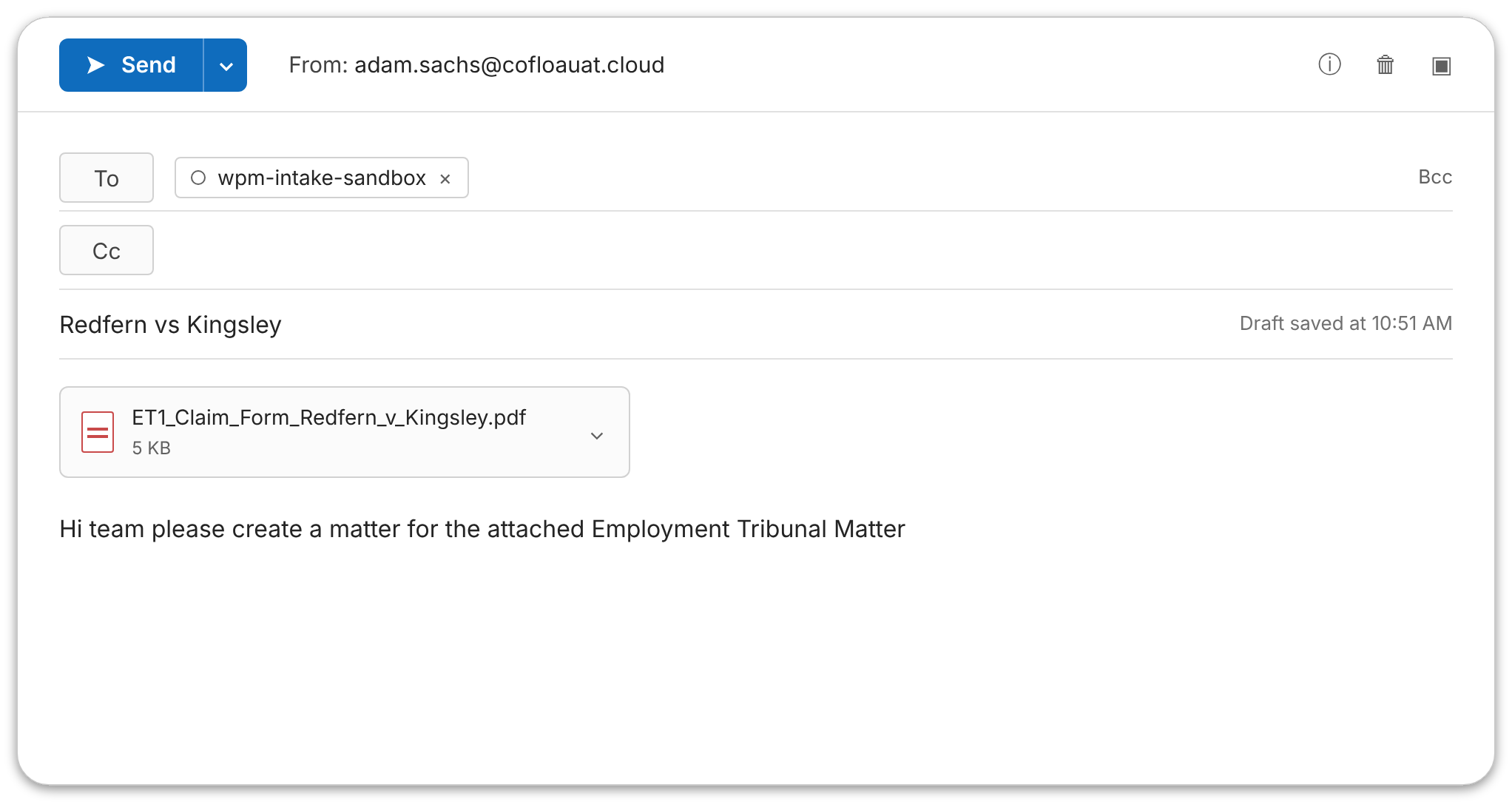
Senders email their requests and attachments. The intake agent reads every document and extracts the details it finds. Where information is missing, it replies with specific questions and sends status updates until the request is ready.
Extracted fields you can check
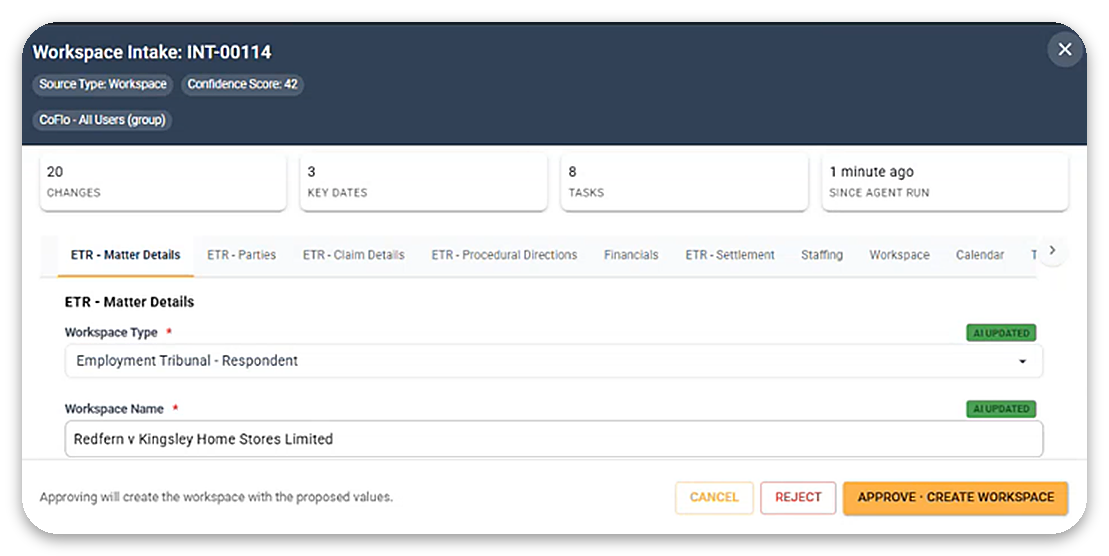
The reviewer sees each extracted value, where it came from and how confident the agent is. Anything that is wrong gets corrected before the matter is created.
Matters, workspaces and tasks set up from templates
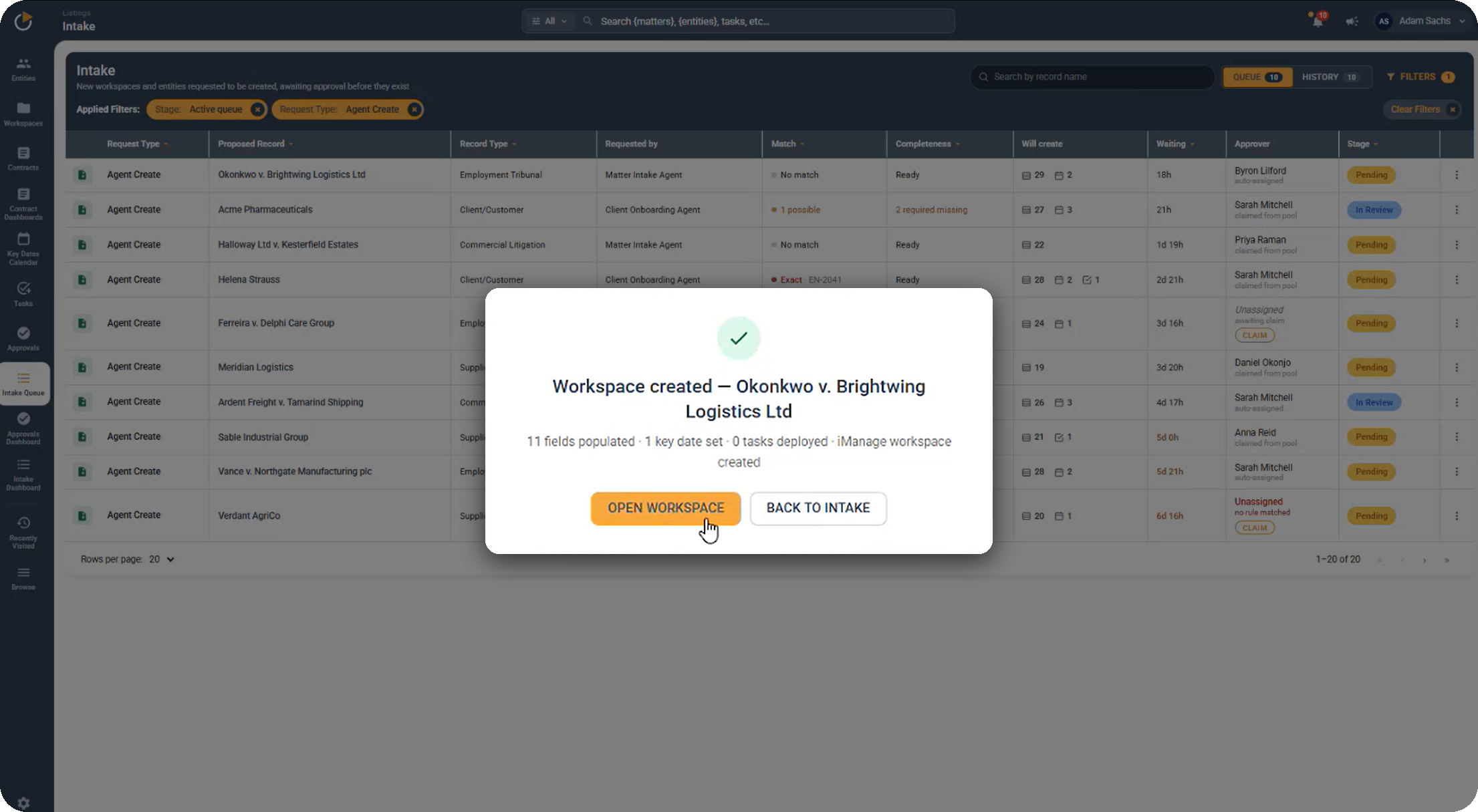
When the reviewer approves a request, Co-Flo creates the matter and the iManage workspace. Key dates and tasks come from the matter's templates. Due dates calculate from the events they depend on, and tasks inherit the right owners.
Agents built around your practice group
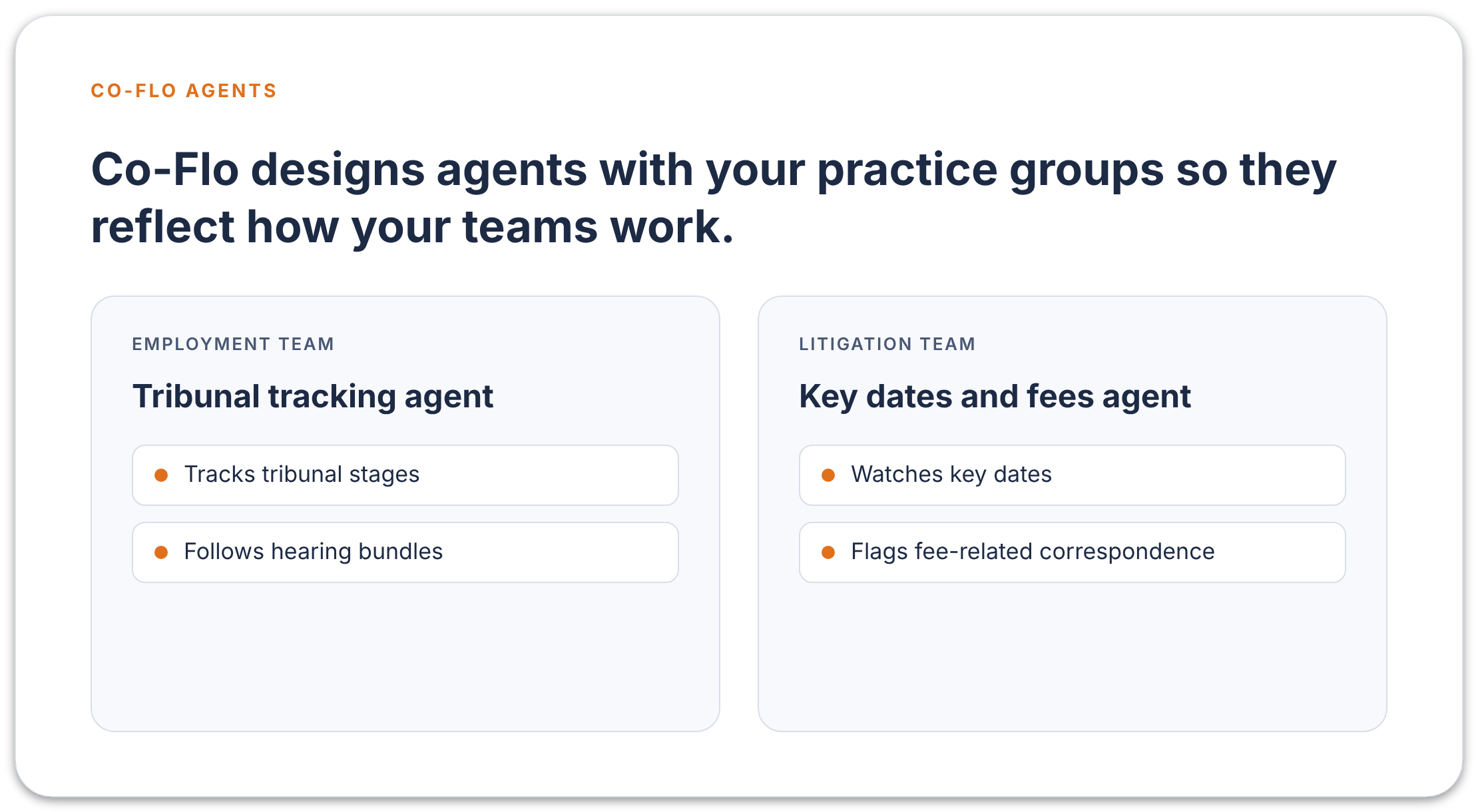
Co-Flo designs agents with your practice groups so they reflect how your teams work. An employment team might want an agent that tracks tribunal stages and hearing bundles, while a litigation team might want one that watches key dates and fee-related correspondence.
Updates from new documents
When a new version arrives in the workspace, an agent picks out what changed, such as a hearing date, a revised fee estimate or a key date in an email. The change appears in an approvals view. The record updates once a person approves it, along with any rules that follow, such as a stage change or new tasks.
Activity logs for every change
Each change is logged with its source, timestamp and author, whether that is an agent or a person. The record supports governance and compliance reviews and shows why a matter changed.